Channel Yourself in a Personal Site

The TL;DR

  • As a student, representing yourself on a personal site can be challenging! It’s important to not get overwhelmed and, instead, try to focus on what you already love and are passionate about. 
  • Any visitors on your site, especially future employers, want to learn about you. Instead of being a perfect yet unrecognizable version of yourself, try to lean into making your site authentic.

A personal website or portfolio can be a great way to begin recording your learning journey as a student. You can keep track of your accomplishments, share your thoughts with the world, and practice writing about your work. This also makes it a valuable resource to show to a future employer, who can begin to understand you as a person. 

Capturing Yourself Online

Before you embark on creating that personal site, first take some time to reflect on how you would like to present yourself online. If you had to write an introduction to yourself and your website, what would you say? Here are some guiding questions to help you think:

  • What am I passionate about?
  • What are my values?
  • What do I spend my free time doing?
  • What are my goals for myself? For the future?

It can be challenging to write about yourself! Don’t worry about making it sound perfect, instead try to focus more on being authentic. What makes you you? Maybe you have a unique hobby of coin collecting or have always had an incredible love for outer space. Whether it’s future employers or fellow students, everyone loves to know bits and pieces that showcase you as a real human being on the other side of the screen. 

Developing Your Visual Identity 

Once you’ve spent some time reflecting on yourself through words, the next step is to think about the visual appearance of your website. Think of this as another extension of yourself! What colors do you enjoy? Color can be an incredible medium for subtly communicating information about yourself. For example, perhaps you are incredibly passionate about the environment, so you utilize blues and greens on your website to reinforce that passion.

A Linear RGB color wheel
What colors do you enjoy? What do those colors say about you? (Image: 8-leaf clover, CC0, via Wikimedia Commons)

After narrowing down some colors you enjoy, think about how they go together! The website Coolors is a great platform for generating and visualizing color palettes. It also has a helpful Color Contrast Checker tool that helps you determine the contrast ratio of text and background colors. This ensures that your text is legible and accessible to your audience. Using these tools will help indicate how your colors fit next to one another or on top of each other, giving you a better sense of what your actual website will look like.

Curating Your Featured Works

Now that you have a written and visual identity for your personal site, start to think about what you’d like to showcase to your audience. A good way to begin is by writing an informal list of things you’ve created or worked on, no matter how “small” these might feel. Whether it was a lengthy paper you wrote in high school or a club you helped put together, keep track of these important accomplishments! Even if something feels insignificant, I can guarantee that you can find a unique way to display them and talk about your thinking behind them.

Once you’ve created this list, start to select some projects you are particularly proud of. What projects embody what you’ve already said about yourself? Maybe you already mentioned a personal passion for musical theater—why not showcase a paper you wrote analyzing a play? Try to be selective in order to display your best work that lets your skills, abilities, and passions shine. 

Writing about Your Work

After you select your featured projects, the final step is to narrate the “behind the scenes” of your work. As one approach to writing about your work, you can follow the acronym POWER.

Project: What was the project? What was special or unusual about it?
Objective: What were you aiming to do? What was your role on the project?
Work: What work did you do? Why did you do your work in this manner?
End result: What did you achieve? What were the outcomes?
Reflection: What did you learn? What will you do differently in the future?

Adapted from UserFocus, “How to create a POWERful case study for your UX portfolio”

By focusing on your contributions and lessons learned, the POWER approach automatically allows you to turn your work into a meaningful narrative. Your audience gets to learn about your thinking process and how you might work as a future employee, student, or peer. 

Student Features

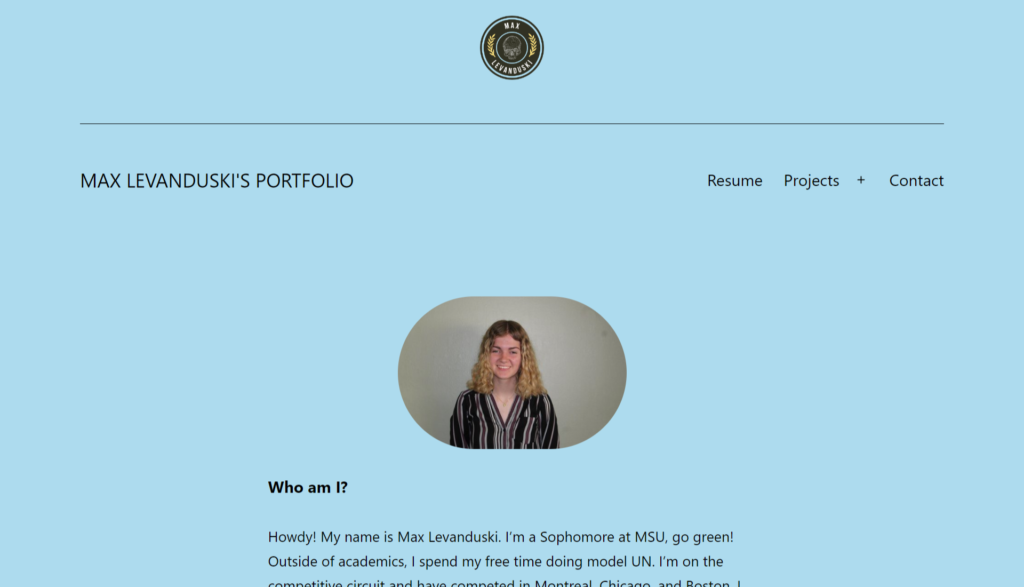
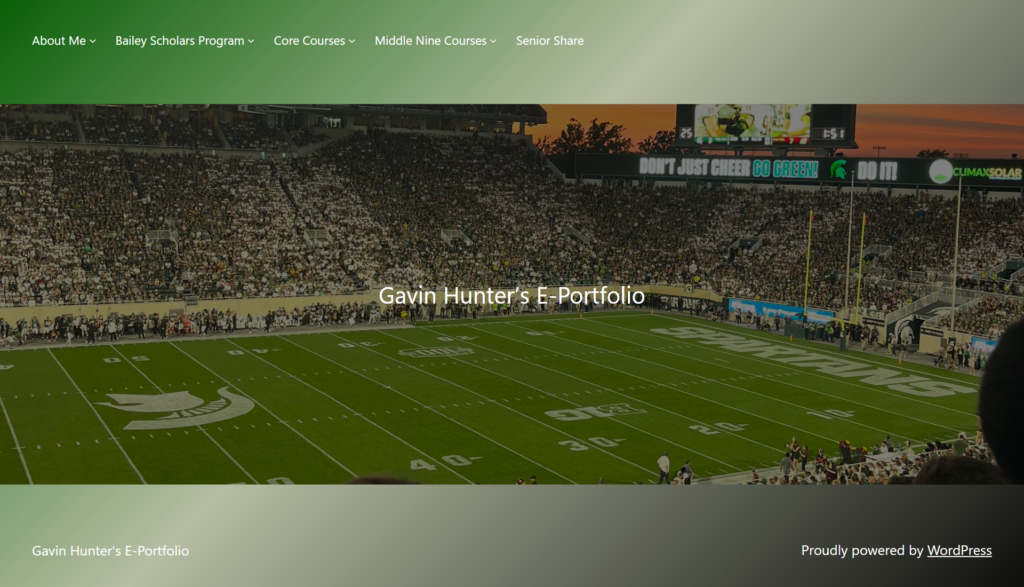
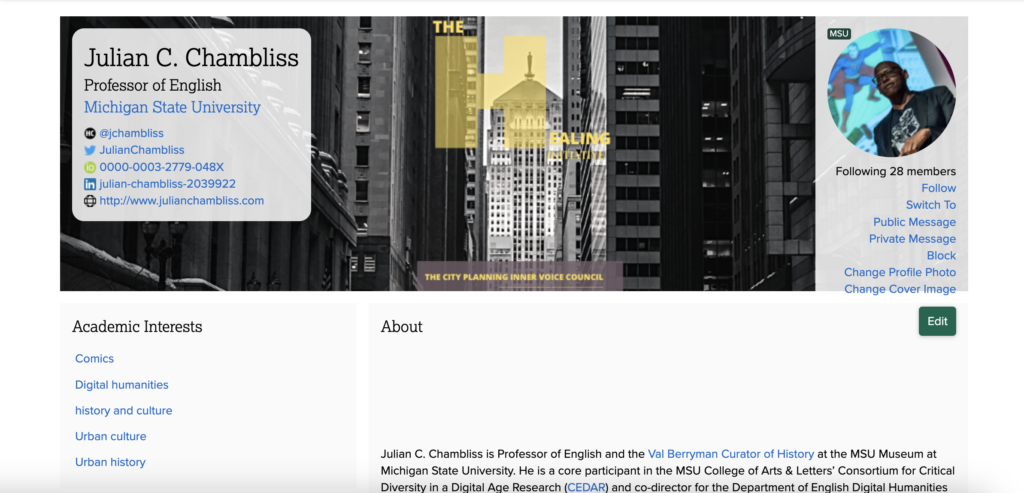
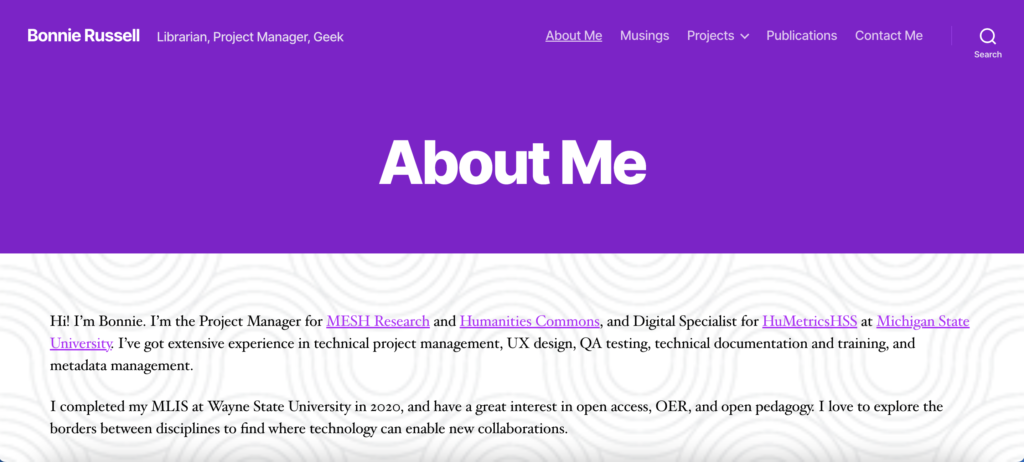
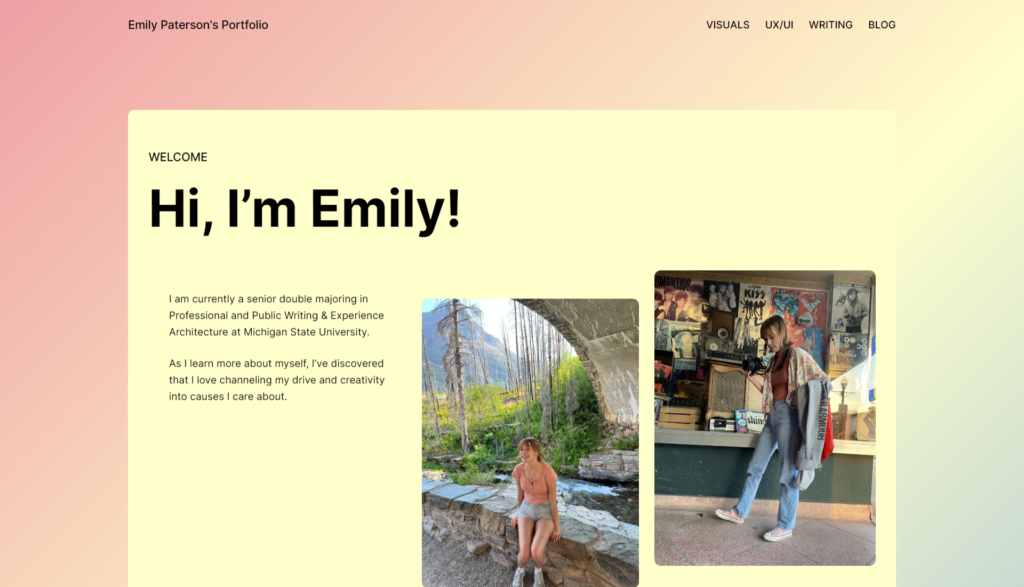
For more insight and inspiration, check out these featured student portfolios on the Humanities Commons!

Develop Your Digital Presence

On the left side, white text over a green background reads "Develop Your Digital Presence" and "Commons Showcase." On the white side, there three speech bubbles--one with three white lines, one with a heart, and one with three dots.

The TL;DR

  • Because of the customizable nature of Commons profiles, they are well-suited to showcase different kinds of work, ranging from traditional academic articles to videos and podcasts
  • Integration with sites on the Commons means users can create content on a Commons site that will automatically populate their profile

Represent your projects & interests.

Whether you’re an independent scholar looking to increase your activity in online communities or a graduate student starting to establish a scholarly presence, it can often be overwhelming to begin building a full picture of your work online. Maybe you have a limited amount of time to create a fully customized website, or perhaps you simply are not sure how to represent your projects in an effective way. 

The four main areas of the Commons—profiles, groups, CORE, and sites—allow users to create a multifaceted digital presence. Think of this as a networked approach. As soon as you create a Humanities Commons account, you will start building your profile. You can add custom text to many of the fields, or simply by engaging in activities on the Commons, your profile will be automatically updated. For example, any groups you join or CORE deposits you upload will show up on your profile. Between the information you provide and your Commons activity, anyone who visits your profile can get a better sense of who you are.

You can also use your profile to compile a digital portfolio–a curated space where you link to projects, conference presentations, and other information about you that goes beyond your Commons activity. Choose a few projects you want to showcase, link to them from the “Projects” section, and then write some contextual information so other users know more about your work.

A Commons user profile with the user's name, title, university, and social media handles. A cover image and profile picture are also featured.
A Commons profile featuring links to social media and projects

As you create sites, they will also automatically show on your profile, in addition to any blog posts you’ve written on those sites. This is another great way to make your work visible—writing blog posts on topics you care about can provide a wide-ranging depiction of your work beyond CORE deposits and Commons activity. Through this multifaceted approach, you can quickly and easily spread the word about your work. 

And if you’re looking for a social media-like platform to develop even more of a digital presence, consider joining our Mastodon server! Scholarly conversations are highly encouraged on hcommons.social, so you’ll feel right at home posting about your projects. Or, if you’d rather just make some new virtual friends and not talk too much about work, you can do that on Mastodon too.

Relevant CORE deposits

If you’re looking for further reading on how you can build an online identity, check out these amazing resources in our CORE repository.

FAQs

QuestionAnswer
Can I add my CV onto my Commons profile?Yes! When in editing mode on your profile, you can upload your CV file. This will allow users to click on your CV from your profile.
Can I upload separate resumes and CVs to my Commons profile?No, you can only upload one file to the CV section of a profile.
Is it possible to link directly from my Commons profile to my LinkedIn account?Yes! When editing your profile, you can add a LinkedIn URL. This will allow Commons users to go directly to your page on LinkedIn.

Examples

A purple web page with "About Me" in bolded white letters

Bonnie Russell ↗

A portfolio site designed fully on Humanities Commons through WordPress.

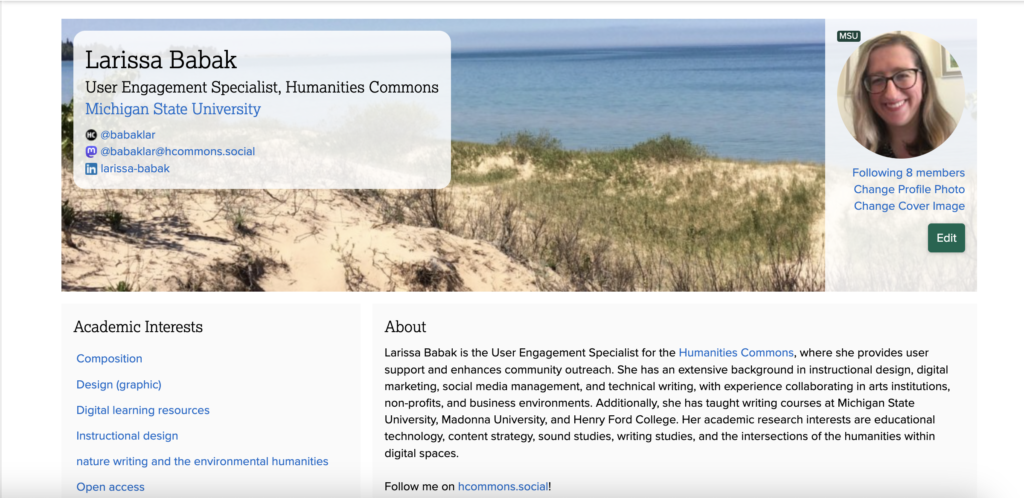
A Humanities Commons profile page.

Larissa Babak↗

A user profile with links to CORE, publications, and blog posts.

Support

Commons Help & Support

Editing Your Profile

First Steps: Getting Started with the Commons

Frequently Asked Questions

Publish Your Journal

On the left side, white text over a green background reads "Publish Your Journal" and "Commons Showcase." On the white side, there is a a graphic of a green computer window with a pencil on a white background.

The TL;DR

  • The Commons offers free WordPress hosting with up to 600MB of storage
  • The repository automatically assigns a DOI and the metadata is fed to aggregators (like Google Scholar) all over the world
  • The Commons community is alerted to the new journal through the activity feed and the ability to tag appropriate groups in deposits

Publishing open access benefits everyone.

Imagine a small group of scholars who see the need for an open-access journal within their discipline. They’ve started on their own with a small WordPress site and a handful of issues. They realize that hosting a website on their own can be expensive, even with a small subsidy from their department. Without a larger network to share their work, they’ve also been struggling to find and engage with new readers.

Fortunately, the Humanities Commons uses WordPress and, if the editor exports their current site, these scholars could work with the Commons team to import the content to a new WordPress site on the Commons. The first step is to create a private or hidden group with a group site. The group will allow them to communicate with one another and keep a calendar of deadlines. 

Once the site is imported, they can work to design the site and begin the process of uploading PDFs of previous articles to the CORE repository. They plan to post online-readable articles as blog posts on their website, using the link created after uploading the PDFs to the CORE repository. While they only have about 30 articles to deposit, if they had over 50, they could work with the Commons team to do a bulk upload to the repository. The deposits are automatically aggregated by Google Scholar, and fed to other aggregators around the world. 

Every time they post and make a deposit, their updates are added to the site’s activity feed. Not only can they tag their own group when they deposit an article to the repository, but they can also tag four other appropriate groups to increase the visibility of the content. With over 50,000 members, this is a lot more visibility than they’ve had previously with only a little added work.

FAQs

QuestionAnswer
My journal uses a content management system other than WordPress. Can I import the content onto the Commons?While importing may not be possible, copying and pasting content within WordPress using the block editor is relatively easy.
My journal has a dedicated domain name. Can I still use it on the Commons?All Commons sites must have the hcommons-staging.org domain in their URL. However, most registrars allow domains to be pointed to a new host. While your posts won’t be in a https://yourdomain.com/post format, you can establish a redirect to the new site.

Examples

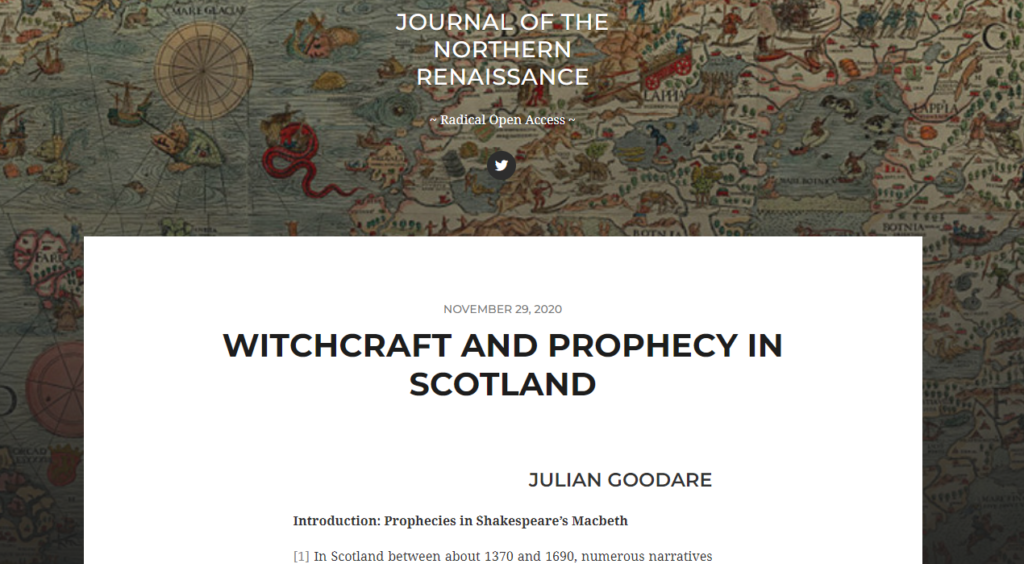
A journal from the Journal of the Northern Renaissance titled, "Witchcraft and Prophecy in Scotland."

Journal of the Northern Renaissance ↗

A journal dedicated to the study of early modern Northern European cultural practices.

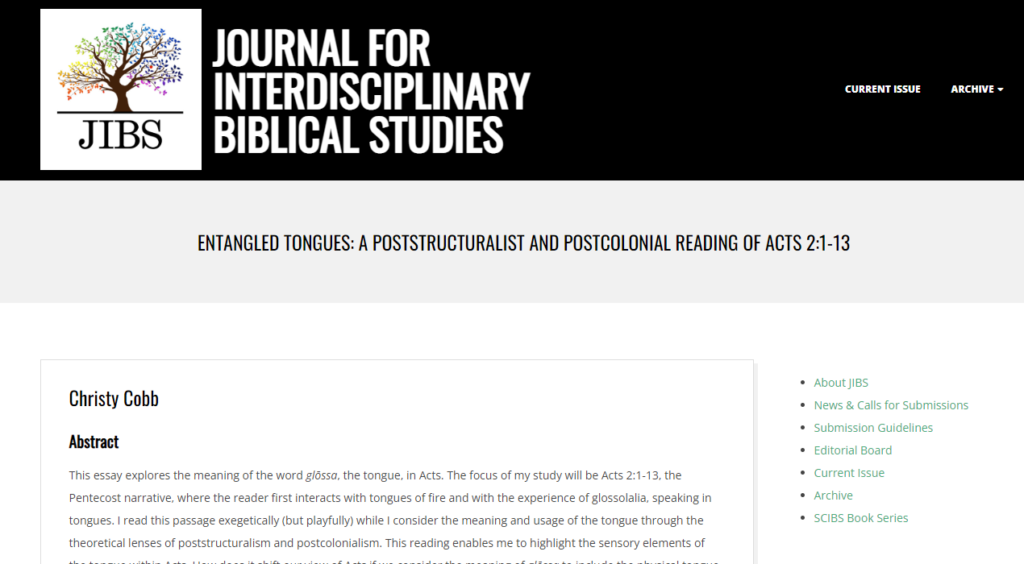
A journal from the Journal for Interdisciplinary Biblical Studies titled "Entangled Tongues: A Poststructuralist and Postcolonial reading of Acts 2:1-13"

Journal for Interdisciplinary Biblical Studies

A journal centered on interdisciplinary, social justice-oriented, feminist, queer, and innovative biblical scholarship.

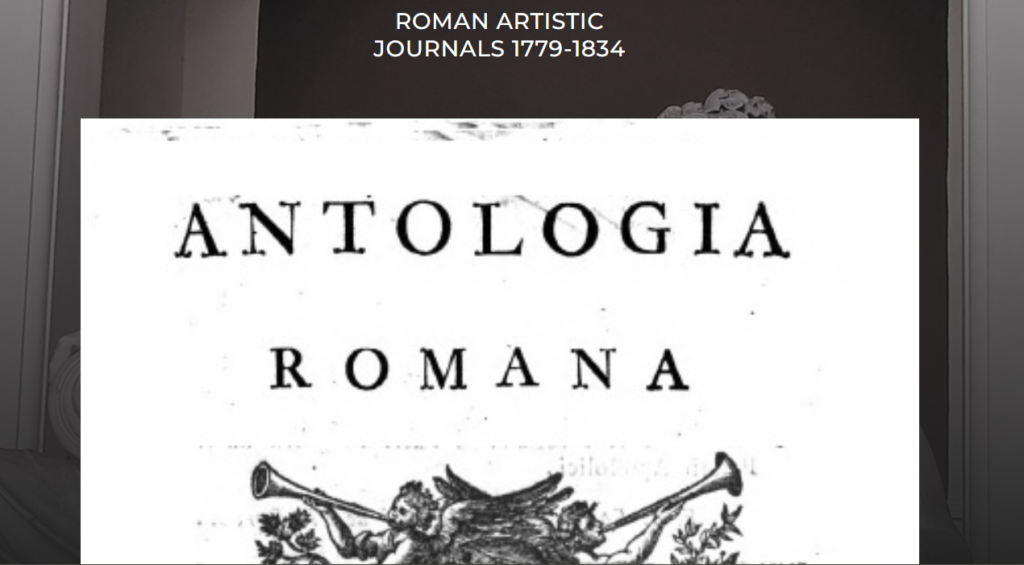
A journal from the Roman Artistic Journals (1779-1834) titled "Antologia Romana"

Roman Artistic Journals

A database that showcases late eighteenth- to early nineteenth-century Roman artistic journals.

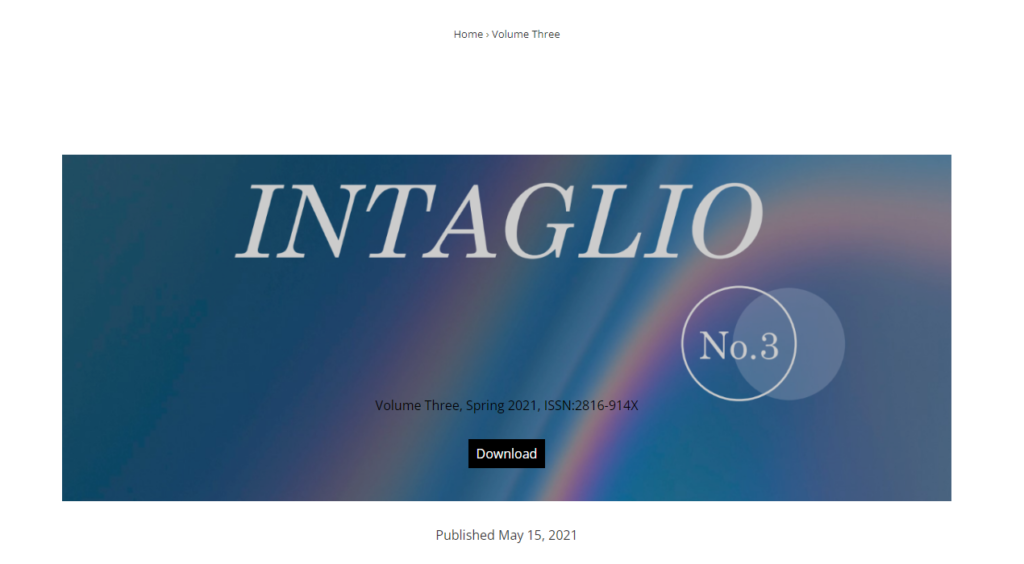
A journal from the Intagalio Journal titled "Volume Number 3"

Intaglio Journal ↗

A journal focused on work related to visual culture, seeking to bridge disciplinary and geographical divides.

Support

Support guides for sites, blogs, and WordPress

Support FAQ

Replace Your Listserv

The TL;DR

  • For organizations that have run listservs, the Commons can serve as a fully-featured listserv replacement. 
  • In addition to allowing users to continue to post and interact via email, the Commons offers the ability to collaboratively work on documents, share files, and collect the deposits members make to the repository.
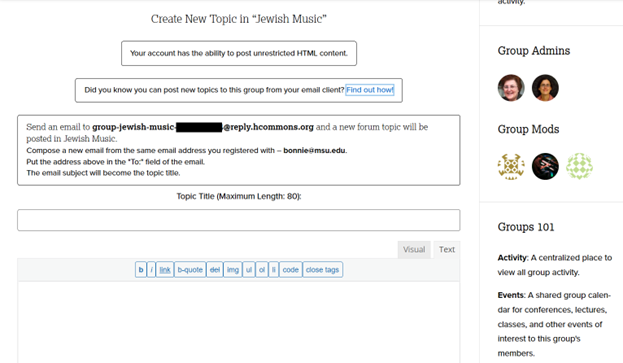
Create a New Topic in "Jewish Music" group on the Commons. Send an email to group-jewish-music@reply.hcommons-staging.org and a new forum topic will be posted in Jewish music.
Commons group “Jewish Music” posting content that will be emailed to their group, similar to a listserv.

Stay connected with your colleagues.

An organization has run a listserv since 1999, serving around 350 people. The listserv has become clunky and the user who has run it at their institution is retiring, leaving it without a host. They want to move to a host that allows for more collaborative work on shared documents and supports the sharing of files. They also want to begin to gather and keep track of work done by listserv members shared in repositories. 

To start the process of moving a listserv to the Commons, the administrator should create a group with a discussion forum. More information on creating and managing groups can be found on our help and support site. Groups can be public, private, or hidden. For a listserv that is private, users have the choice between a private or hidden group. Private groups allow others to apply to join, whereas hidden groups are invitation-only. If you want to encourage growth a public group will allow anyone with interest to join automatically. 

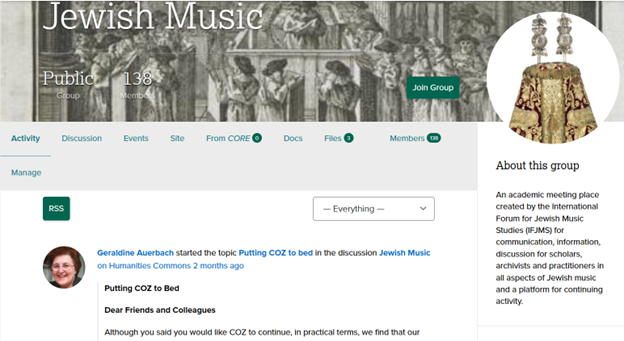
Activity Section of the "Jewish Music" Humanities Commons Group. User Geraldine Auerbach started the topic "Putting COZ to bed."
The administrator of “Jewish Music” begins the conversation about ending their previous listserv.

Migration

  • Let subscribers know that you’ll be moving to the Commons, encouraging them to join the site and join the group. 
  • Consider creating a one-page document with information about the Commons, and the reasons for moving to a web-based discussion from email.
  • Some users may wish to continue to interact by email, and there are instructions for creating a discussion topic and replying by email on our help and support site. 
  • Set a cutover date and announce it widely. Shut down the email listserv on that date. 
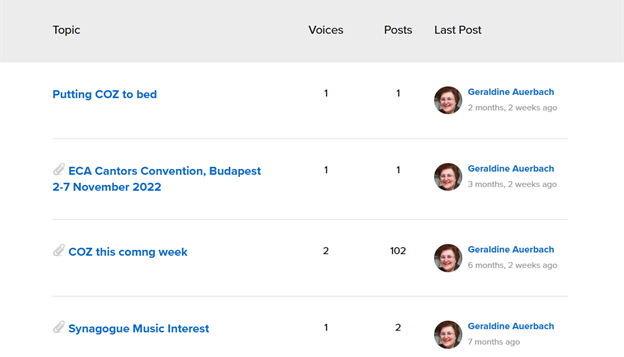
Geraldine Auerbach posting "COZ this coming week" and "Putting COZ to bed" on the group discussion for "Jewish Music" on the Commons
The administrator of “Jewish Music” reminds group members of the end of their previous email listserv.

FAQs

QuestionAnswer
What could I expect as some resistance from my long-time email listserv members?It may be difficult for your long-time listserv members to adapt at first due to the perceived extra steps of logging into a website and taking multiple clicks to access your content. It’s important to remind them that this new format allows everything to be much more organized and collaborative than a listserv of the past.
Do my listserv members need to create a Commons account in order to receive and reply to posts?Yes! Members will need to create an account and be part of the group. If they’re still not receiving emails, make sure they’ve double checked their setting for group notifications.

Examples

A journal from the Journal of the Northern Renaissance titled, "Witchcraft and Prophecy in Scotland."

Journal of the Northern Renaissance ↗

A journal dedicated to the study of early modern Northern European cultural practices.

A journal from the Journal for Interdisciplinary Biblical Studies titled "Entangled Tongues: A Poststructuralist and Postcolonial reading of Acts 2:1-13"

Journal for Interdisciplinary Biblical Studies

A journal centered on interdisciplinary, social justice-oriented, feminist, queer, and innovative biblical scholarship.

Support

Support guides for sites, blogs, and WordPress

Support FAQ

Promote Your Project

A banner with a green and white background. On the left side, text reads "Promote Your Project" in bolded letters, with "Commons Showcase" printed underneath. On the right, there is a megaphone.

The TL;DR

  • Sites on the Commons allow for quick setup – users or groups can easily create a blog or site that doesn’t require coding experience
  • Full site editing allows for easy customization, making it possible to create a clean, aesthetically pleasing design
  • The Commons’ high findability in Google’s indexing can make projects more locatable within search results

Share what you’re working on.

Imagine you’re:

  • Leading a research lab of 5 art historians who are creating a podcast on local art within your community. You host your podcast episodes on all the major streaming platforms, but you’d like to create a website where you can link to both your weekly episodes and supplementary content, such as pictures of the artwork mentioned and links to related articles. 
  • Working on your first novel, which you started writing as part of your creative writing MFA program. You’d like to create a blog where you reflect on the process of turning a short story from your portfolio into a longer work.
  • Hosting a mini-conference amongst a group of music theory colleagues. You’d like to develop a website where you can post the Call For Papers and details on how to access the conference.

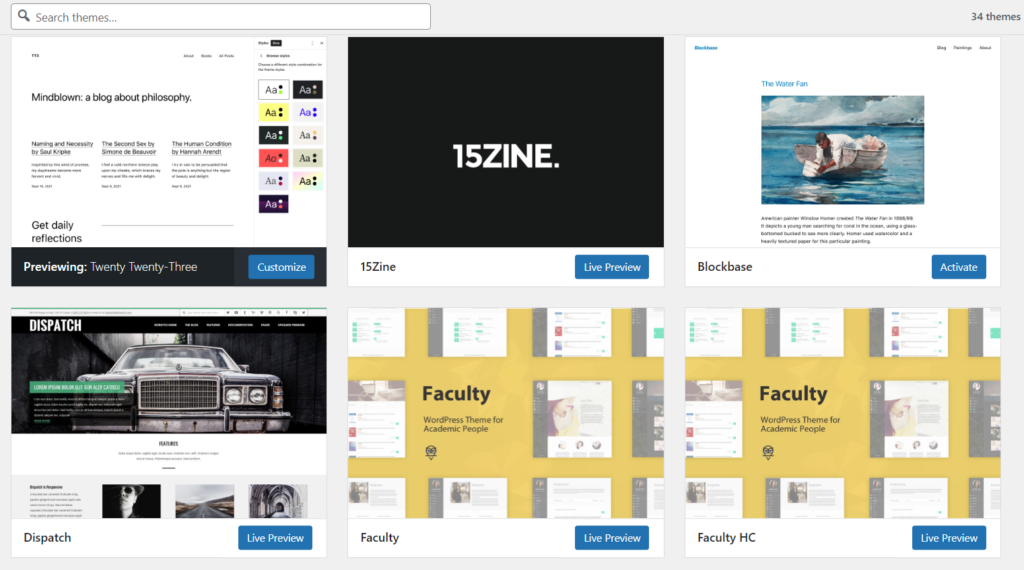
For all of these projects, Humanities Commons sites are an ideal place to get started. With a variety of themes available, it’s easy to find one that fits with the visual style of the project. Once you choose a theme, you can quickly add content, images, and links to customize the look and feel of the site. The creation of your site can take as much or as little time as you’d like, and part of what makes sites useful is you don’t need to do any custom coding. Using the block editor in WordPress is particularly helpful for creating a nice-looking site quickly.

Screenshot of the WordPress "Themes" browsing page with six different website theme examples.
Selection of current customizable themes available on the Commons

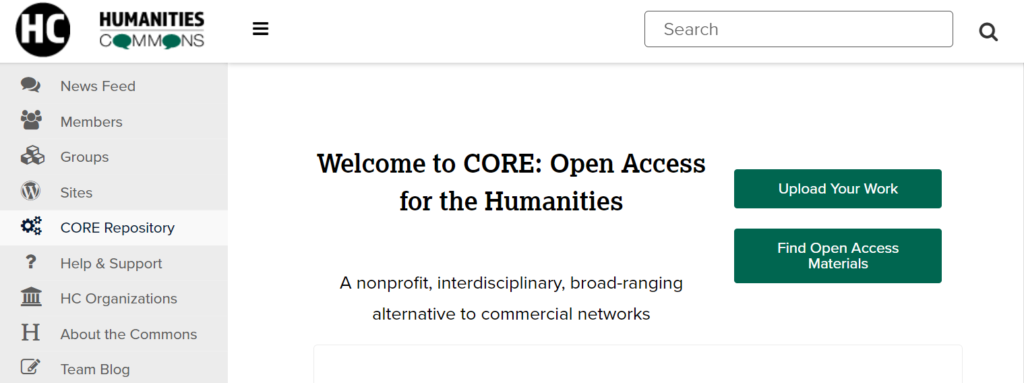
In addition to developing a website, the leaders of these projects may also want to consider how they could leverage other areas of the Commons to enhance awareness of their projects. The CORE repository’s high ranking in search engines (including automatic indexing with Google Scholar) makes it easier for a project to be discovered by a broad audience. So, in order to get even more interest around their podcast and receive a DOI for their work, the team of art historians might deposit a few episodes into CORE. The only caveat is CORE has a size limit of 100 MB, so the team may only be able to upload a few of the shorter episodes.

Screenshot of the page for the CORE Repository on the Humanities Commons Website
The CORE Repository on the Commons

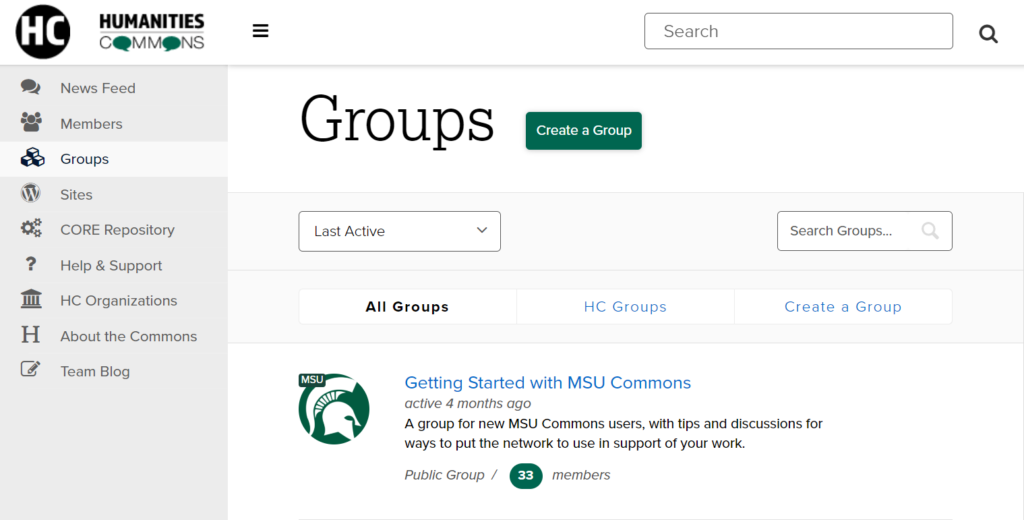
Once you’ve added content to the Commons, you’re ready to share it with the world. The next step in spreading the word is to start with the tools available on the Commons. Posting on the news feed or discussion board in a Commons group is one way to find an audience who is already interested in your topic. For example, the music theory mini-conference site could be shared in any of the music history or theory groups on the Commons. Additionally, leveraging other social networks like Mastodon, Facebook, and Twitter is vital, as this will drive more traffic to your project beyond Commons users. Even just a few regularly scheduled posts with a link to your site and a short description of your posts or updates can go a long way.

Screenshot of the Groups page on the Humanities Commons. Featured is the "Getting Started with MSU Commons" group.
Groups, like “Getting Started with MSU Commons” on the Commons

FAQs

QuestionAnswer
Is my project right for a Commons site?Overall, Humanities Commons offers enough tools and features so that any project of an academic nature has a place on the Commons. However, for the security of our network, we do have to limit some customization options in WordPress. If you’re looking to create a large-scale project with extensive customization of your site, you may want to consider other options. Contact us at hello@hcommons-staging.org to discuss this further!
Why can’t I add certain WordPress themes or plugins to my site?For security purposes, we limit some of the theme and plugin options available to our users. If you’d like to request a plugin or an added theme, email us at hello@hcommons-staging.org.
Can I create a custom URL for my site?All sites in the Commons network contain the .hcommons-staging.org domain name. We do not offer custom URLs at this time.
I’ve never used WordPress before and am not sure where to start. Any suggestions?There are many tutorials around the web for users who are new to WordPress. Although full-site editing is relatively new, this help guide on full-site editing is a great place to get started. WordPress’s official tutorials are thorough, and there is plenty of additional support online as well.

Examples

Screenshot of the Homepage of L-Pop

L-Pop ↗

A collection of songs and lessons for students learning English.

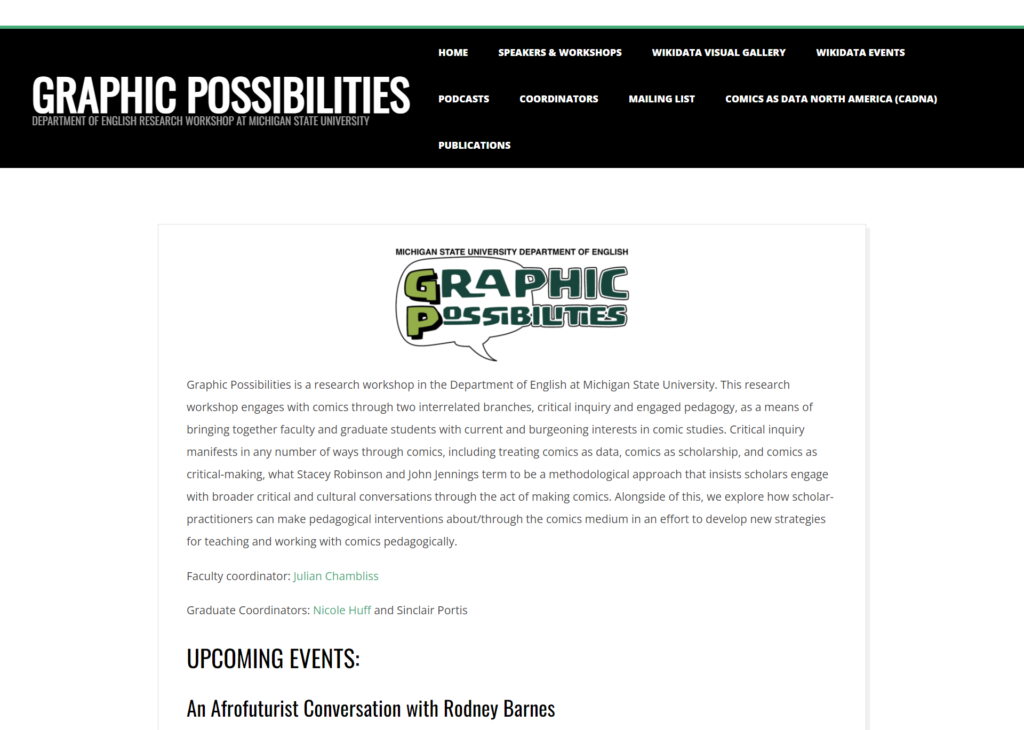
Screenshot of the Homepage of Graphic Possibilities

Graphic Possibilities ↗

A research workshop that engages with comic studies.

Screenshot of the Homepage of Scholarly Tales

Scholarly Tales ↗

A repository of work by researchers, librarians, and other scholars.

Support

Commons Help & Support

Commons Help & Support: Sites, Blogs, and WordPress